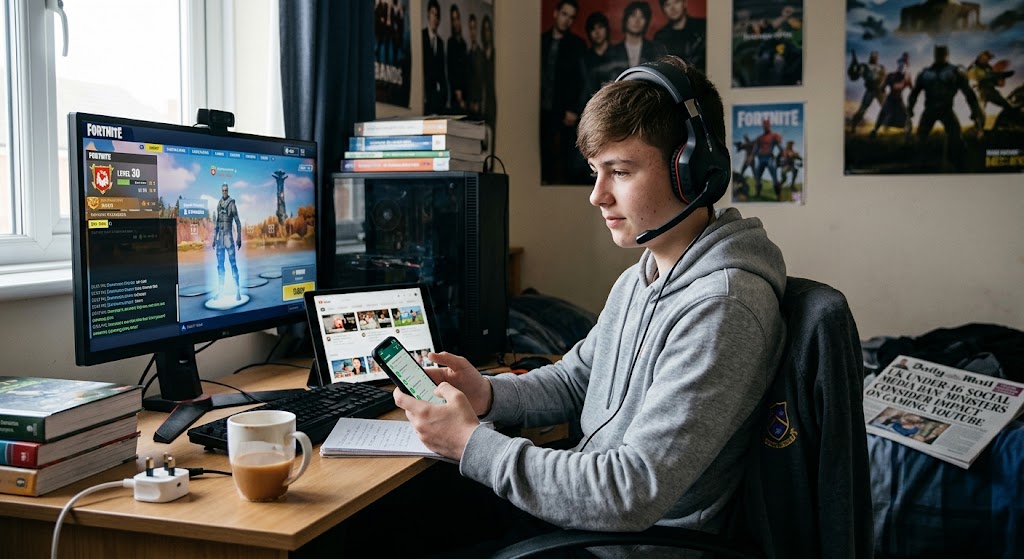




Social media is changing quickly. While TikTok, Instagram, Snapchat, WhatsApp and YouTube remain important parts of children's digital lives, many young people are also experimenting with newer apps built around smaller friendship groups, private sharing, creative messaging and shared interests.
At the same time, children are seeing more AI influencers and virtual creators in their feeds. These accounts can look and behave like real people even when the personality, appearance or content is partly or completely computer-generated.
For parents, the challenge is no longer simply knowing which apps children use. It is understanding how those platforms work, who children interact with, what information they share and who is influencing their choices.

Key Takeaways
-
Major platforms such as TikTok, Instagram and Snapchat remain popular.
-
Children are also exploring smaller, more private or interest-based social apps.
-
Apps such as Locket, Yope, Airbuds and Daze focus more on close friends, music or creative communication.
-
Smaller social networks are not automatically safer.
-
AI influencers are digital personalities created partly or entirely using artificial intelligence.
-
Children may not always recognize when a creator, image or story is synthetic.
-
Parents should teach children how to check new apps and creators rather than trying to memorize every platform.
-
Regular conversations about privacy, advertising, trust and digital wellbeing are essential.
Are Children Leaving TikTok, Instagram and Snapchat?

Not exactly.
Large social platforms still play an important role in children's online lives. What is changing is how many young people divide their time between different services.
A child might:
-
Watch videos on TikTok.
-
Message friends through Snapchat or WhatsApp.
-
Share photos through Locket.
-
Talk about music on Airbuds.
-
Join a private friendship group on another app.
Instead of one platform replacing another, children are building a collection of social spaces for different purposes.
Many newer apps also feel less public. Rather than asking children to gain followers or post to large audiences, they encourage small groups, spontaneous photos or private conversations.
For some children, that can feel more comfortable and personal.
Which Newer Social Apps Are Children Using in 2026?
Popularity varies between countries, schools and friendship groups. Some apps also grow quickly and disappear just as fast.
The following platforms help illustrate the direction children's social media is taking.
|
App |
Main purpose |
What parents should check |
|
Locket |
Photo sharing between close friends |
Who is added as a friend and what happens to shared photos |
|
Yope |
Private photo and video groups |
Group membership, invitations and privacy |
|
Airbuds |
Social music sharing |
Profile visibility, messaging and listening history |
|
Daze |
Creative visual messaging |
Who can contact the child and join group conversations |
|
Coverstar |
Short-form creative videos |
Public visibility, comments, livestreaming and moderation |
|
Lemon8 |
Lifestyle and creator content |
Advertising, product recommendations and personalized feeds |
Locket: Photos From Close Friends
Locket allows users to share photos that can appear directly on their friends' phone home screens.
Instead of posting for hundreds of followers, children can share everyday moments with a smaller group.
That may reduce some pressure connected with public likes and follower counts, but parents should still remind children that small audiences do not guarantee privacy.
A friend can still:
-
Save a photo.
-
Take a screenshot.
-
Show it to someone else.
-
Forward information outside the friendship group.
A useful question is:
“Would you still be comfortable sharing this if someone kept a copy?”
Yope: Private Friendship Groups
Yope focuses on small, private groups where friends can share photos, videos and messages.
This type of platform reflects a wider move away from public posting toward what might be called digital friendship rooms.
Private groups can reduce interaction with strangers, but they can still involve:
-
Friendship conflicts.
-
Exclusion.
-
Screenshots.
-
Oversharing.
-
Pressure from other group members.
Parents should help children understand that “private” describes how an app is designed. It does not mean everything shared there will remain private forever.
Airbuds: Making Music Social
Airbuds turns listening to music into a social experience.
Friends can see what one another are listening to, react to songs and use music as a way to communicate.
For teenagers, this can feel much less performative than posting photographs or videos.
However, listening history can also reveal personal information, including interests, moods and routines.
Parents can ask:
-
Who can see your listening activity?
-
Can strangers view your profile?
-
Can unknown users contact you?
-
Are you comfortable sharing everything you listen to?
Digital privacy is about more than names, addresses and phone numbers. Preferences can also become part of a child's online identity.
Daze: More Creative Messaging
Daze makes ordinary messaging more visual and playful.
Users can customize conversations with drawings, different text styles, GIFs, video and audio.
Its appeal shows that children are not necessarily looking for another public social network. Sometimes they simply want more creative ways to communicate with friends.
For any messaging platform, check:
-
Who can start conversations.
-
Whether unknown users can join groups.
-
How blocking works.
-
How reporting works.
-
What information appears on profiles.
Coverstar: Creator Culture for Younger Users
Coverstar focuses on short videos, challenges and creative content.
Platforms designed partly for younger creators may include stronger moderation or restrictions on certain communication features. However, parents should still consider the pressures that can come with being visible online.
These can include:
-
Comments and feedback.
-
Appearance comparison.
-
Competition for attention.
-
Livestreaming.
-
Pressure to post regularly.
An important question is not only:
“Can strangers contact you?”
Also ask:
“How does posting for other people make you feel?”
Lemon8: Lifestyle Content and Recommendations
Lemon8 combines social media with lifestyle discovery.
Users may browse fashion, beauty, food, travel, study tips, home decoration and similar interests.
The experience can feel more like searching for inspiration than using traditional social media.
However, lifestyle content can also include:
-
Sponsored posts.
-
Product recommendations.
-
Affiliate marketing.
-
Beauty trends.
-
Highly edited lifestyles.
Children therefore need advertising literacy as well as privacy awareness.
Why Are Smaller Social Apps Appealing to Children?
Large social networks can sometimes feel like stages where users perform for an audience.
Smaller apps can feel more like rooms where friends spend time together.
Children may prefer them because they offer:
-
Smaller friendship circles.
-
Less pressure to gain followers.
-
More casual sharing.
-
Interest-based communication.
-
Creative alternatives to ordinary messaging.
-
Fewer public posts.
This does not mean smaller platforms are automatically healthier.
Parents should focus on how an app is designed.
Ask whether it encourages public performance or private connection, endless scrolling or limited updates, stranger discovery or known-friend communication.
Those differences often matter more than the name of the app.
What Should Parents Check Before a Child Joins a New App?

You do not need to become an expert on every new platform.
Use the same safety check whenever your child wants to join something unfamiliar.
Step 1: Check the Minimum Age
Read the platform's current rules rather than relying on what classmates are doing.
Step 2: Find Out Who Can Make Contact
Check whether strangers can:
-
Search for the account.
-
Follow your child.
-
Send messages.
-
Join groups.
-
Comment on content.
Step 3: Review What Is Public
Look at profile photos, usernames, biographies, followers, school information and activity.
Children sometimes understand that posts can be public without realizing how much their profile information reveals.
Step 4: Check App Permissions
Review access to:
-
Location.
-
Contacts.
-
Camera.
-
Microphone.
-
Photos.
An app does not necessarily need every permission it requests.
Step 5: Understand the Feed
If the service has recommendations or a “For You” page, explain that watching and clicking teaches the system what content to show next.
Step 6: Learn the Safety Tools
Find blocking and reporting options before a problem happens.
Step 7: Ask Your Child to Show You Around
Instead of starting with criticism, ask:
“What do you like about this app?”
Their answer can tell you more about how they actually use it.
What Are AI Influencers and Virtual Creators?
An AI influencer is a digital personality created partly or completely using artificial intelligence and designed to behave like a social media creator.
A virtual creator is a broader category. It may be a computer-generated character controlled by people, AI technology or both.
These creators can:
-
Post photographs and videos.
-
Promote clothing or beauty products.
-
Share invented personal stories.
-
Respond to followers.
-
Work with brands.
-
Give recommendations.
-
Build large audiences.
Some look obviously animated.
Others can appear surprisingly human.
Can Children Trust AI Influencers?
AI creators are not automatically harmful or dishonest.
But children should not trust a creator simply because the account looks realistic, friendly or popular.
A better approach is to ask questions.
|
What children see |
What they should consider |
|
A realistic-looking person |
Is this person actually human? |
|
A personal story |
Could the experience be fictional or scripted? |
|
A product recommendation |
Is this advertising? |
|
Beauty advice |
Is the appearance digitally generated or altered? |
|
Health information |
Can the claim be confirmed elsewhere? |
|
Friendly replies |
Is a human responding or an automated system? |
The important lesson is:
Trust should come from evidence and transparency, not appearance.
Why Can Virtual Creators Feel Real?
Humans naturally respond to personalities.
Give a digital character a name, face, sense of humor, friendships and regular stories, and followers can begin to feel as though they know that character.
Children may develop the same type of emotional connection they develop with human creators.
This becomes especially important when the virtual personality promotes products or creates unrealistic expectations.
A virtual influencer can have perfect skin, perfect clothing and a perfect bedroom because none of those things need to exist in real life.
Parents can ask:
“Are you comparing your real life with another person's real life, or with something that was designed?”
That distinction can be powerful.
How Can Kids Check an AI Influencer?
Teach children this simple five-question check.
1. Is This Person Real?
Check the biography, platform labels and linked pages.
2. Who Controls the Account?
A brand, marketing company or creative team may be behind the personality.
3. Is Something Being Sold?
Look for sponsorships, affiliate links, discount codes and product placements.
4. Can the Information Be Verified?
Important advice about health, money, education or safety should always be checked against reliable independent sources.
5. How Does the Content Make You Feel?
Ask whether the account creates pressure to:
-
Look different.
-
Buy something.
-
Live differently.
-
Believe something immediately.
-
Keep following because of an emotional connection.
Critical thinking also means recognizing emotional influence.
What If Your Child Already Follows AI Influencers?
There is usually no need to begin with a ban.
Ask your child to show you the account and discuss it together.
Questions might include:
-
What do you like about this creator?
-
Did you know the person was virtual?
-
Who do you think runs the account?
-
Does the creator advertise products?
-
Which parts do you think are fictional?
-
Would you trust advice from this account?
The goal is to help children think more carefully, not make them hide what they watch.
Create a Simple Family Rule for New Apps and Creators
Before joining a new app, children should:
-
Check the age requirement.
-
Review privacy settings.
-
Find out who can contact them.
-
Check location and other permissions.
-
Learn how to block and report.
-
Talk to a parent before spending money.
-
Ask for help when something feels uncomfortable.
Before trusting a creator, they should check whether the person is real, identify advertising and confirm important claims elsewhere.
Final Thoughts: Follow the Behavior, Not Just the App

The names of popular apps will continue changing.
What matters is helping children develop skills that work everywhere.
Instead of only asking, “Is this app safe?”, parents can ask:
Who can contact you? What information are you sharing? What is the platform encouraging you to do? Who benefits from your attention? And how does using it make you feel?
The same approach works with AI influencers.
Children do not need to fear every virtual creator, but they should understand who or what is behind the account and why it may want their trust.
Parents do not have to discover every new platform before their children do.
The stronger goal is creating a family environment where a child feels comfortable saying:
“Everyone is using this new app. Can we look at it together?”
FAQs
What new social apps are children using in 2026?
Alongside TikTok, Instagram and Snapchat, children and teens may use platforms such as Locket, Yope, Airbuds and Daze for close-friend sharing, private groups, music and creative messaging.
Are smaller social apps safer?
Not automatically. Smaller groups may reduce some exposure to strangers, but privacy problems, screenshots, bullying and oversharing can still happen.
What is an AI influencer?
An AI influencer is a digital social-media personality whose appearance, voice, content or interactions may be generated using artificial intelligence.
Can children tell when an influencer is AI-generated?
Not always. AI-generated people, photographs, voices and videos are becoming increasingly realistic. Children should look for disclosure labels and question who controls an account.
Should parents ban AI influencers?
Usually, teaching children how to identify, question and verify virtual creators is more useful than treating every AI account as automatically unsafe.