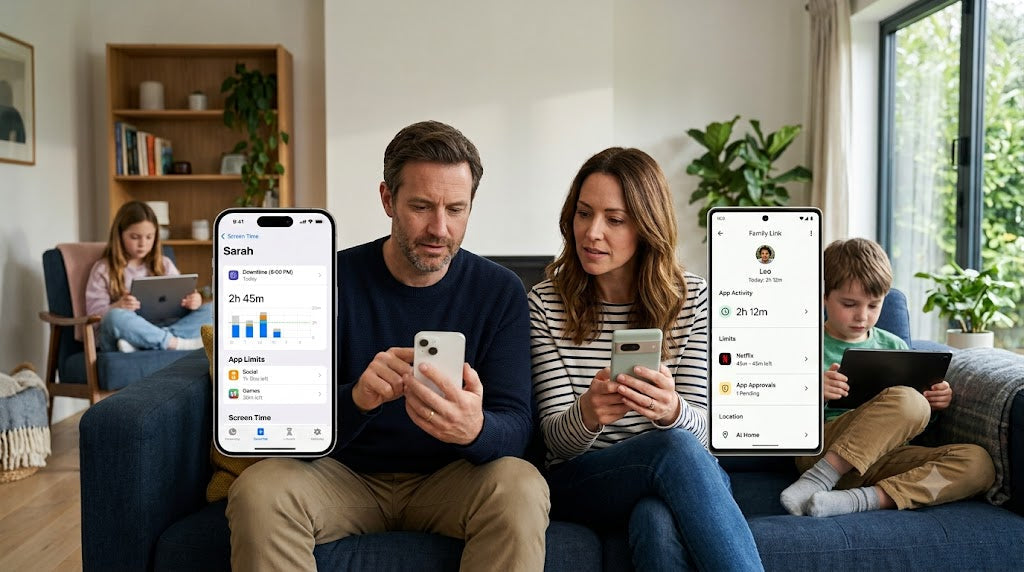










Children are growing up in a digital world where screens are part of everyday life. Tablets, smartphones, computers, and gaming devices support learning, creativity, and communication, but long periods of screen use can also affect children’s physical health.
One common concern is tech neck, a term used to describe neck and upper-body discomfort linked to spending too much time looking down at screens. Poor screen posture can place extra stress on the neck, shoulders, and back, especially when children use devices for extended periods without breaks.
The solution is not to eliminate technology. Instead, parents can help children develop healthy screen habits, create better device setups, and learn how to protect their bodies while using digital devices. Families can also build a healthy screen-time routine that makes room for movement, rest, and comfortable device use.

Key Takeaways
-
Tech neck is often caused by poor posture during long screen sessions.
-
Keeping screens at eye level can reduce neck strain.
-
Children should take regular movement and screen breaks.
-
A comfortable workspace supports better posture.
-
Parents should teach children to notice discomfort early.
-
Healthy digital habits should include both screen balance and physical activity.
What Is Tech Neck in Children?
Tech neck happens when children repeatedly bend their heads forward while looking at phones, tablets, or laptops for long periods.
When the head moves forward from its natural position, the neck muscles have to work harder to support it. Over time, this can lead to muscle fatigue, stiffness, and discomfort.
Children may experience:
-
Neck pain or stiffness.
-
Shoulder tension.
-
Upper back discomfort.
-
Headaches after screen use.
-
Tiredness or difficulty staying comfortable.
Because children often become deeply focused while watching videos, playing games, or completing homework, they may not notice these signs immediately.
Why Does Good Screen Posture Matter for Children?

Good posture helps children use technology comfortably while reducing unnecessary strain on their developing bodies.
Poor posture habits formed during childhood may continue into later years. Teaching children how to sit, position devices, and take breaks helps them build lifelong healthy habits.
A healthy screen position allows children to:
-
Stay comfortable during digital activities.
-
Focus better during online learning.
-
Reduce physical discomfort.
-
Use technology in a safer way.
What Causes Poor Screen Posture?
Poor posture usually develops from small habits repeated every day. Common causes include:
|
Common Screen Habit |
Why It Can Be a Problem |
Better Alternative |
|
Looking down at a phone for a long time |
Puts extra pressure on the neck |
Hold the device closer to eye level |
|
Using a laptop on the floor or bed |
Encourages bending forward |
Use a desk or stable surface |
|
Sitting without back support |
Causes slouching |
Use a supportive chair |
|
Staying in one position too long |
Creates stiffness and muscle fatigue |
Change positions regularly |
How Can Parents Set Up a Better Screen Environment?
A child’s screen setup plays an important role in posture. Small changes can make digital activities more comfortable.
Parents can create a healthier setup by:
Keep Screens at Eye Level
Children should avoid constantly looking downward. Raising screens closer to eye level helps maintain a more natural neck position.
For example:
-
Use a laptop stand or books to raise the screen.
-
Place tablets on a stand instead of holding them in the lap.
-
Encourage children to hold phones higher when possible.
Choose Supportive Seating
A good chair helps children maintain a comfortable position.
Look for:
-
Feet resting on the floor.
-
Back supported by the chair.
-
Shoulders relaxed.
-
Screen positioned at a comfortable distance.
Create a Dedicated Digital Space
A consistent place for homework, gaming, or creative activities can encourage better posture habits.
A simple setup with a suitable chair, proper lighting, and correct screen placement can make a big difference.
How Often Should Children Take Screen Breaks?
Children should avoid staying in the same position for long periods. Regular breaks help relax muscles and reduce eye and body strain. During longer sessions, parents can encourage regular screen breaks so children can rest their eyes, stretch, and reset their posture.
The 20-20-20 rule is one helpful habit:
|
Every |
Children Should |
|
20 minutes |
Look away from the screen |
|
20 seconds |
Focus on something about 20 feet away |
Parents can also encourage children to:
-
Stand up and stretch.
-
Walk around.
-
Drink water.
-
Change activities.
What Are the Best Posture Tips for Different Devices?
Different devices create different posture challenges. Teaching children how to use each device properly can reduce strain.
|
Device |
Common Problem |
Healthy Usage Tip |
|
Smartphone |
Looking downward for long periods |
Raise the phone closer to eye level |
|
Tablet |
Holding it too low |
Use a stand or support |
|
Laptop |
Screen positioned too low |
Adjust screen height and seating |
|
Gaming console |
Sitting still for long sessions |
Take breaks between games |
How Can Parents Encourage Better Posture Habits?
Children may forget posture reminders, especially when they are focused on digital activities. Parents can make healthy habits easier by creating simple routines.
Helpful strategies include:
-
Reminding children to check their posture.
-
Setting regular break times.
-
Encouraging stretching after long screen use.
-
Keeping devices away during meals.
-
Creating screen-free family activities.
The goal is not constant correction but helping children become aware of their own habits. Screen-free family activities can also help kids disconnect from screens and make movement a normal part of the day.
How Can Parents Teach Children to Notice Body Signals?
Body awareness is an important part of digital wellness. Children should learn that discomfort is a signal to adjust their position or take a break.
Parents can encourage children to ask:
-
“Is my neck feeling comfortable?”
-
“Are my shoulders relaxed?”
-
“Have I moved recently?”
-
“Do I need a break?”
When children learn to recognize these signals, they become more independent in managing healthy technology use.
Should Parents Limit Screen Time to Prevent Tech Neck?
Screen time limits can help create balance, but the quality of screen habits matters too. For practical guidance on how to manage your child’s screen time, parents can combine clear limits with active breaks, comfortable device use, and screen-free routines.
A child who uses a device with good posture and regular breaks may have a healthier experience than a child who spends less time on screens but uses poor positioning. The broader goal is to balance screen time with children’s health by considering movement, sleep, posture, and overall wellbeing alongside total screen hours.
Parents should focus on:
-
Balanced screen schedules.
-
Active breaks.
-
Comfortable device use.
-
Healthy family technology routines.
How Can Parents Be Role Models for Healthy Screen Habits?
Children often copy what they see. Parents can encourage better habits by practicing them too.
Parents can:
-
Sit properly while using devices.
-
Take breaks during long screen sessions.
-
Avoid using phones constantly around children.
-
Create shared screen-free moments.
Healthy digital habits become easier when the entire family follows them.
When Should Parents Be Concerned About Screen-Related Pain?
Occasional tiredness after screen use is common. However, parents should pay attention if a child regularly experiences:
-
Ongoing neck or back pain.
-
Frequent headaches.
-
Difficulty sitting comfortably.
-
Pain that affects school, sleep, or daily activities.
If discomfort continues, parents may consider discussing it with a healthcare professional.
Build Healthy Digital Habits for Growing Bodies

Technology is an important part of modern childhood, but children need guidance on how to use it safely and comfortably.
Preventing tech neck is not about removing devices. It is about creating balance through better posture, movement, and awareness.
By improving screen setups, encouraging regular breaks, and teaching children to listen to their bodies, parents can help children enjoy technology while protecting their physical health. Over time, these habits can help families balance technology use for healthy development while protecting children’s physical comfort.
FAQs
What is the main cause of tech neck in children?
The main cause is spending long periods looking downward at screens with poor posture. Repeated forward head positioning can create strain in the neck and shoulders.
How can I fix my child’s screen posture?
Start by adjusting the device position, improving seating support, encouraging regular movement breaks, and reminding your child to sit comfortably.
Is using a phone worse for posture than using a computer?
Phones often encourage looking downward for longer periods, but any device can contribute to poor posture if used incorrectly.
How long should children sit before taking a break?
Children should avoid sitting in the same position for extended periods. Regular movement breaks throughout screen use can help reduce discomfort.
Can good posture habits prevent future problems?
Yes. Teaching children healthy screen habits early can help them develop better posture awareness as they grow.